
Local AI Models on a Home PC: What Hardware Is Needed in 2026?
Running local AI models on a personal computer is no longer limited to developers or data scientists. By 2026, large language models, image generators, coding assistants and voice AI tools can work directly on consumer hardware without relying on cloud subscriptions. This shift has changed how users approach PC upgrades. Instead of focusing only on gaming or video editing performance, many people now build systems capable of handling AI workloads efficiently. The requirements depend heavily on the size of the models, memory bandwidth, storage speed and GPU architecture, which means that not every modern PC is suitable for practical local AI use.
Why AI Workloads Require Different Hardware Than Traditional Applications
Most conventional desktop software places balanced pressure on the processor, memory and graphics subsystem. AI models behave differently because they continuously process huge matrices of numerical data. During inference, which is the process of generating responses or creating images, the graphics card becomes the primary component responsible for performance. A weak GPU can turn a lightweight chatbot into a sluggish application that produces one token every few seconds.
Video memory has become one of the most important specifications for AI-capable systems in 2026. Modern models often require 12 GB to 24 GB of VRAM for comfortable operation. Compact models designed for consumer devices can run on 8 GB cards, but larger reasoning models or image generation systems quickly exceed those limits. Users attempting to load advanced models on low-memory GPUs usually encounter aggressive quantisation, reduced context windows or severe slowdowns.
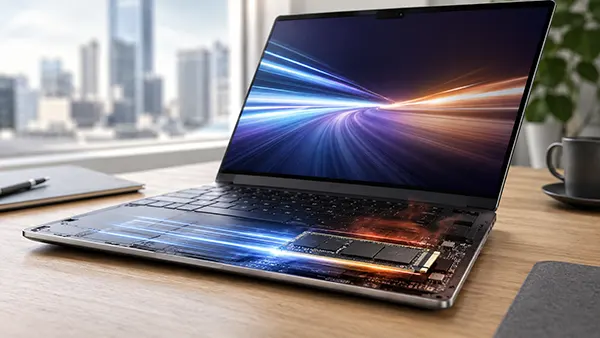
Storage speed also plays a major role. AI models frequently occupy tens or even hundreds of gigabytes. NVMe PCIe 4.0 and PCIe 5.0 SSDs reduce loading times significantly compared to older SATA drives. Fast storage becomes especially important when switching between multiple models or working with local vector databases used for document analysis and retrieval tasks.
How CPUs and System RAM Influence Local AI Performance
Although GPUs handle the majority of AI computation, the processor still affects overall responsiveness. Tasks such as model loading, prompt processing, data indexing and background operations depend on CPU performance. In 2026, processors with at least 8 physical cores are considered a practical baseline for AI-oriented desktop systems. High-end users increasingly prefer 12-core or 16-core CPUs because multitasking with local models can easily saturate weaker processors.
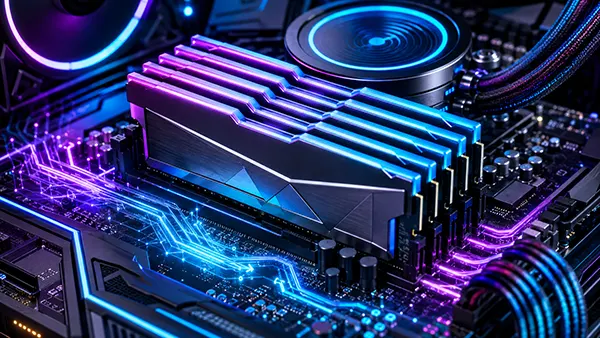
System memory requirements have also increased. Running local AI assistants alongside browsers, development environments and creative software consumes large amounts of RAM. A modern AI-focused PC should ideally contain 32 GB of DDR5 memory, while advanced workflows involving fine-tuning or multiple simultaneous models benefit from 64 GB or more. Memory speed matters less than total capacity, but faster DDR5 kits still help reduce latency during large data transfers.
Energy efficiency has become another consideration. AI workloads often keep hardware under sustained load for long periods. Systems built with inadequate cooling can throttle performance after extended sessions. Many enthusiasts now prioritise large air coolers or 360 mm liquid cooling systems, especially when combining powerful GPUs with flagship processors.
Recommended GPU Configurations for Local AI Models in 2026
Graphics cards dominate discussions around local AI because they determine how large and responsive a model can be. NVIDIA continues to lead the consumer AI segment thanks to CUDA optimisation and strong software support. Cards equivalent to the RTX 5070, RTX 5080 and RTX 5090 are widely used for AI tasks in 2026 due to their tensor processing capabilities and increased VRAM configurations.
AMD has improved substantially in AI acceleration, particularly with ROCm support and newer RDNA architectures, but compatibility still varies between applications. Intel Arc GPUs have also entered the discussion as budget alternatives for smaller models, although their ecosystem remains less mature compared to NVIDIA solutions. For users who primarily want local chatbots or coding assistants, mid-range GPUs with 16 GB VRAM are often sufficient.
Image generation and video AI workloads place much heavier pressure on hardware. Running advanced diffusion models at high resolutions requires stronger GPUs and larger memory pools. Users working with local video generation or AI upscaling often prefer top-tier cards with 24 GB to 32 GB VRAM because memory limitations directly affect render complexity and generation speed.
Which Hardware Tier Fits Different Types of AI Users
Entry-level AI systems in 2026 usually include an 8-core CPU, 32 GB RAM and a GPU with 12 GB VRAM. These machines can run lightweight language models, local voice assistants and compact image generators. They are suitable for experimentation, coding support and offline productivity tools without major investment.
Mid-range AI PCs target users who work with larger models daily. A system with a 12-core processor, 64 GB RAM and a GPU carrying 16 GB to 24 GB VRAM provides enough performance for advanced chat models, local retrieval systems and image generation with fewer compromises. This category has become particularly popular among software developers, content creators and cybersecurity researchers.
High-end AI workstations are designed for users handling model fine-tuning, large context windows or multiple simultaneous AI tasks. These systems often feature flagship GPUs, 128 GB RAM and multi-terabyte NVMe storage arrays. Some enthusiasts even build dual-GPU configurations for distributed inference. Such setups consume substantial power, but they allow local execution of models previously limited to cloud servers.
Storage, Cooling and Power Supply Considerations for AI PCs
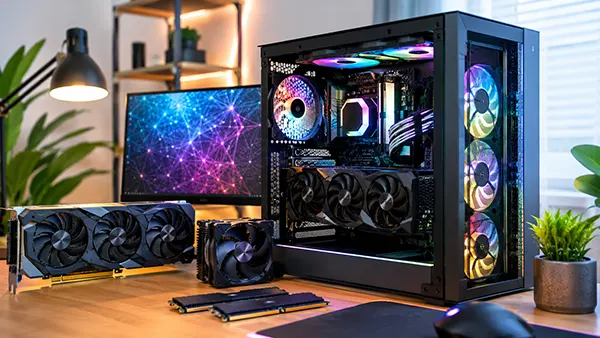
AI-focused storage requirements differ from traditional gaming builds because models occupy far more space than ordinary applications. A single advanced language model can exceed 50 GB, while multiple image generation checkpoints, embeddings and datasets quickly consume terabytes of storage. By 2026, 2 TB NVMe SSDs are commonly treated as a minimum starting point for serious local AI usage.
Power delivery has become another critical factor. High-performance GPUs designed for AI acceleration frequently draw more than 400 watts under load. Combined with powerful CPUs, complete systems may require 1000 W or even 1200 W power supplies to maintain stability. Low-quality PSUs can cause instability during prolonged inference sessions or sudden GPU spikes.
Thermal management directly affects long-term reliability. AI tasks generate sustained heat unlike gaming workloads that fluctuate more dynamically. Cases with restricted airflow often struggle to maintain acceptable temperatures. Builders increasingly prioritise large mesh-front chassis, multiple intake fans and carefully planned airflow paths to avoid thermal throttling during extended model execution.
Is Building a Local AI PC Worth It in 2026?
For many users, local AI systems provide advantages that cloud services cannot fully replace. Privacy is one of the main reasons people move towards offline models. Documents, conversations and generated content remain stored on the local machine instead of being processed remotely. This matters for developers, researchers, journalists and businesses handling sensitive information.
Long-term costs also influence purchasing decisions. Subscription-based AI services continue to become more expensive as model complexity grows. A well-designed local AI workstation requires a large initial investment, but it can reduce ongoing expenses for users who rely heavily on AI every day. Local models also remain available regardless of server outages or regional restrictions.
However, not every user requires workstation-grade hardware. Smaller models have improved significantly in efficiency, allowing many practical AI tasks to run on mid-range systems. The best approach in 2026 is choosing hardware based on realistic workloads rather than chasing maximum specifications. Understanding VRAM requirements, storage needs and thermal limits is far more important than simply buying the most expensive components available.