Windows Recall and Copilot+ PCs: Which Laptops Support Windows 11 AI Features and Is It Worth Upgrading in 2026?
Artificial intelligence has become one of the most significant developments in personal computing. Microsoft’s Copilot+ PC initiative has changed the way users interact with Windows 11 by introducing hardware-accelerated AI features that run directly on supported devices. Since the launch of the first Copilot+ laptops in 2024, the ecosystem has expanded considerably. By 2026, buyers looking for a new notebook are often faced with an important question: which laptops can actually use Microsoft’s latest AI capabilities, and does upgrading to a Copilot+ PC make practical sense? Understanding the hardware requirements, available features, and real-world benefits can help consumers make an informed decision before investing in a new device.
What Are Copilot+ PCs and Why Are They Different?
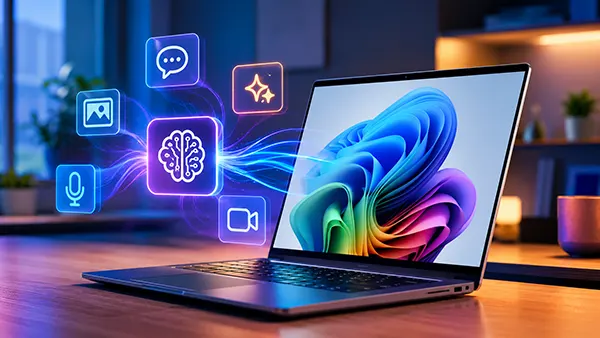
Copilot+ PCs represent a new category of Windows 11 computers designed specifically for on-device artificial intelligence processing. Unlike traditional laptops that rely mainly on the CPU and GPU, these systems include a dedicated Neural Processing Unit (NPU) capable of delivering at least 40 TOPS (trillion operations per second). This additional hardware enables AI tasks to run locally rather than sending data to cloud services.
Microsoft introduced the Copilot+ certification to ensure that laptops meet specific performance requirements. Devices equipped with Qualcomm Snapdragon X Elite and Snapdragon X Plus processors were the first to receive the designation. Later, AMD Ryzen AI 300 series processors and Intel Core Ultra 200V chips also joined the programme, significantly expanding the number of compatible systems available in shops.
The primary advantage of Copilot+ PCs is efficiency. AI workloads such as image generation, live translation, intelligent search, and video enhancement can operate directly on the laptop. This reduces latency, improves privacy, and lowers dependence on a permanent internet connection.
Key AI Features Available on Copilot+ PCs
Windows Recall is one of the most discussed additions. The feature creates a searchable timeline of user activity, allowing individuals to locate documents, websites, messages, and applications they previously accessed. Microsoft significantly revised Recall’s security architecture before its broader rollout, making participation optional and introducing enhanced encryption and authentication requirements.
Another major feature is Live Captions with real-time translation. Supported laptops can translate audio from multiple languages into English subtitles directly on the device. This functionality is especially useful during international meetings, online courses, and video conferences.
Additional AI tools include Cocreator in Paint, AI-powered Windows Studio Effects for video calls, image generation capabilities, automatic background enhancement, advanced voice processing, and improved Windows Search that understands natural language queries. Together, these functions provide practical productivity benefits rather than serving merely as technology demonstrations.
Which Laptops Support Windows 11 AI Features in 2026?
As of 2026, Copilot+ support is available across multiple processor families. Qualcomm-based models remain popular due to their exceptional battery life and efficient AI performance. Examples include the Microsoft Surface Laptop, Surface Pro, Lenovo Yoga Slim 7x, HP OmniBook X, and Dell XPS models built around Snapdragon X processors.
AMD has become a strong competitor through its Ryzen AI 300 series. Many premium notebooks from ASUS, Lenovo, HP, Acer, and MSI now include NPUs that meet Microsoft’s Copilot+ requirements. These systems often appeal to users who need stronger compatibility with traditional Windows applications while maintaining advanced AI capabilities.
Intel has also expanded its presence with Core Ultra 200V processors. New generations of Dell Latitude, Lenovo ThinkPad, HP EliteBook, ASUS Zenbook, and Acer Swift notebooks support Copilot+ functions while delivering strong business-oriented performance. Buyers now have considerably more options than during the first year of Copilot+ availability.
Minimum Requirements for Full Copilot+ Functionality
Not every Windows 11 laptop can access the complete set of AI tools. Microsoft requires a dedicated NPU capable of delivering at least 40 TOPS of AI performance. Systems lacking this hardware may still use cloud-based Copilot services but cannot run all local AI features.
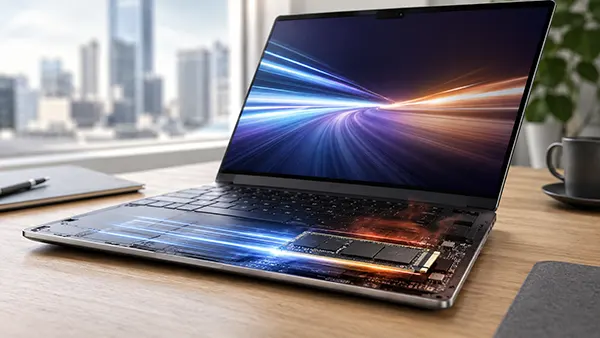
A minimum of 16 GB of RAM and 256 GB of storage is generally required for certification. Most manufacturers exceed these specifications because AI workloads benefit from additional memory and faster SSD performance.
Users should also verify that their laptop specifically carries Copilot+ branding. Some devices include AI-capable processors but may not satisfy all certification requirements. Checking Microsoft’s official compatibility information or manufacturer documentation remains the most reliable approach before purchasing.

Is Upgrading to a Copilot+ PC Worth It in 2026?
The answer depends largely on how the laptop will be used. Professionals who spend significant time working with documents, meetings, research, creative projects, and multilingual communication are likely to benefit most from AI-powered tools. Features such as Recall, intelligent search, and automatic transcription can save measurable amounts of time during everyday tasks.
Students may also find value in real-time translation, improved note retrieval, and AI-assisted content creation. Meanwhile, content creators can take advantage of local image generation, enhanced video conferencing tools, and faster AI-assisted editing workflows without relying entirely on cloud services.
For users whose current laptop already performs well and who rarely use AI-driven features, an immediate upgrade may not be essential. Traditional Windows 11 devices continue to handle office work, web browsing, media consumption, and gaming effectively. The practical benefits become more apparent when AI capabilities form a meaningful part of daily productivity.
Future Outlook for Windows AI Computing
Industry trends suggest that AI acceleration will become a standard component of personal computers rather than a premium feature. Software developers are increasingly optimising applications to take advantage of NPUs, creating new use cases beyond Microsoft’s own tools.
As hardware matures, AI functions are expected to become faster, more efficient, and more deeply integrated into operating systems. Future versions of Windows will likely expand local AI processing capabilities while maintaining stronger privacy protections than cloud-only alternatives.
For buyers considering a notebook purchase in 2026, selecting a Copilot+ PC provides a degree of future readiness that older systems may lack. While not every user requires these capabilities today, the growing adoption of AI-enhanced software suggests that dedicated AI hardware will become increasingly valuable over the coming years.