Framework Laptop 13 Pro in 2026: Can Modular Laptops Replace Traditional Ultrabooks?
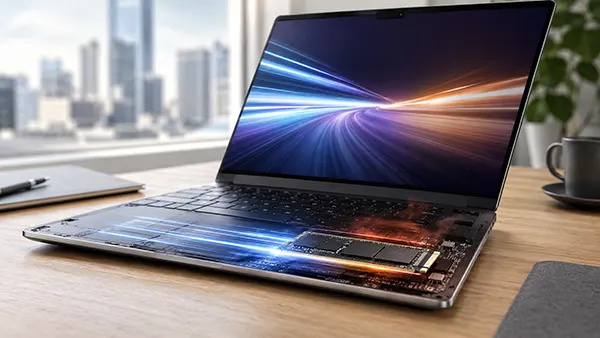
Buying a premium laptop has traditionally involved a compromise: choose a slim, powerful machine today and accept that most of its internal components will remain unchanged until replacement. The Framework Laptop 13 Pro challenges that approach. Introduced in April 2026, this 13.5-inch notebook combines a modern aluminium body, Intel Core Ultra processors, a high-resolution touchscreen and substantially improved battery life with components designed for replacement and upgrading. It competes with established ultraportables from Apple, Dell, Lenovo and Microsoft, but its greatest advantage is not necessarily speed or appearance. It is the possibility of keeping the same computer useful for considerably longer. The important question is whether this flexibility provides enough practical value to justify its premium price and occasional compromises.
Framework Laptop 13 Pro: A More Refined Approach to Modular Design
The Framework Laptop 13 Pro is a substantial redesign rather than another routine update to the original Framework Laptop 13. Earlier generations demonstrated that a thin notebook could have replaceable parts without becoming excessively bulky, although they faced criticism concerning battery endurance, chassis rigidity and overall refinement. The 2026 Pro model addresses several of these weaknesses with a redesigned body manufactured from aluminium, an improved cooling arrangement and a larger battery. Its graphite finish gives it a more understated appearance, while the sturdier construction makes it feel closer to conventional premium ultrabooks. Independent reviews published during summer 2026 confirmed noticeable improvements in build quality, although the laptop remains relatively expensive.
Portability is still central to its design. The Intel version weighs approximately 1.44 kg with four expansion cards installed, while its body measures just 15.85 mm thick. These dimensions make it suitable for commuting, university lectures and business travel, even though some competitors are considerably lighter. The 13.5-inch display uses a 3:2 aspect ratio, providing more vertical working space than the widescreen displays found on many notebooks. Its 2880 × 1920 resolution delivers sharp text, while a variable refresh rate of up to 120 Hz makes scrolling and everyday interaction smoother. Framework specifies typical brightness of 700 nits, an anti-glare surface and touchscreen functionality, creating a practical combination for office work and use in brightly lit environments.
The keyboard and touchpad also reflect the shift towards a more polished everyday experience. The backlit keyboard retains a familiar layout, while the new haptic touchpad replaces the conventional physical clicking mechanism with simulated feedback. This allows consistent clicking across its surface and brings the interaction closer to that of modern MacBooks. Nevertheless, the screen and audio system reveal some compromises. The display uses IPS technology rather than OLED, so black levels and contrast cannot match the best OLED competitors. Its colour coverage is well suited to everyday work, but professional photographers requiring wider colour gamuts may prefer another machine. The speakers are adequate for calls and occasional entertainment, although independent testing suggests that audio quality is not a particular strength.
How Replaceable Components Change Everyday Laptop Ownership
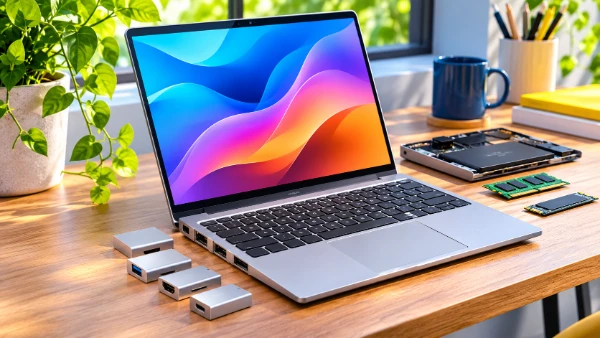
What distinguishes the Framework Laptop 13 Pro is the number of components users can replace without relying entirely on a professional repair service. Its expansion system allows four interchangeable modules to occupy the laptop’s connection slots. Owners can select USB-C, USB-A, HDMI, DisplayPort, Ethernet, memory-card readers or storage modules according to their requirements. Someone working from home might prefer an HDMI connection for an external monitor, while a photographer could install an SD card reader. A USB-A connection may be more useful when working with older peripherals. Instead of carrying multiple adapters, users can change the available connections as their equipment changes. Importantly, these expansion cards remain compatible with earlier Framework Laptop 13 models.
The same philosophy extends beneath the keyboard. Framework provides replacement parts and illustrated repair instructions, allowing owners to service components such as the battery, display and mainboard. The Intel model also uses LPCAMM2 memory, a newer format that combines the efficiency of low-power laptop memory with the ability to replace the module. This matters because many premium ultrabooks have memory permanently attached to the motherboard, making later expansion impossible. The Pro model therefore offers a meaningful advantage for users whose requirements may change. A student starting with 16 GB of memory, for example, could potentially move to a larger compatible module when working with more demanding applications, without immediately purchasing a new computer.
However, modular design does not guarantee universal compatibility between generations. The Pro redesign introduces a different bottom enclosure, battery arrangement and input components, meaning certain parts from the original Laptop 13 cannot simply be transferred across. Processor upgrades also require replacing the mainboard rather than exchanging a standalone chip. These distinctions are important when calculating future costs. A replacement mainboard can extend a laptop’s useful life, but it may still represent a substantial purchase. Framework’s approach is therefore better understood as making repairs and selected upgrades possible, rather than promising that every component will remain interchangeable forever. The continued availability, pricing and compatibility of replacement parts will determine how valuable this design becomes over time.
Performance and Battery Life in Real-World Use
The 2026 Framework Laptop 13 Pro is available with Intel Core Ultra Series 3 processors, including the Core Ultra 5 325, Core Ultra X7 358H and Core Ultra X9 388H. These processors target different workloads, from routine productivity to more demanding creative and development tasks. The entry-level configuration provides sufficient processing power for web browsing, spreadsheets, document editing and video meetings. Higher specifications offer stronger multitasking and substantially more capable integrated graphics, particularly with the Intel Arc B390 found in the X7 and X9 models. The range also includes AMD Ryzen AI 300 configurations, giving buyers an alternative processor family. Exact upgrade options, memory arrangements and pricing depend on the chosen version.
For typical office work, the differences between the processors will not always be obvious. Opening dozens of browser tabs, running Microsoft Office applications and holding video calls should be comfortable on a suitably equipped configuration. More demanding activities, including software development, working with large datasets and editing high-resolution photographs, benefit from additional memory and a faster processor. The stronger Intel graphics options also make some modern games playable without a separate graphics card, although graphics settings and resolution may need adjustment. The Framework is not a replacement for a dedicated gaming notebook or professional workstation. Independent testing has also identified elevated processor temperatures under sustained workloads, showing that its compact cooling system can limit maximum performance.
Battery life is one of the clearest advances over earlier Framework notebooks. The Intel model incorporates a 74 Wh battery, compared with the 61 Wh capacity available in the preceding generation. Framework reported more than 20 hours of Netflix streaming under its own test conditions, a significant achievement for a modular laptop. That figure should not be interpreted as a guarantee of 20 hours of ordinary office work. Screen brightness, wireless activity, application demands and processor configuration all affect endurance. Nevertheless, independent 2026 reviews found substantial improvements in battery performance, bringing the Framework into much closer competition with established premium ultraportables. For travellers and students, this improvement is particularly important because frequent charging was previously a notable drawback of the range.
Display, Connectivity and Software: What Matters During a Working Day?
A laptop intended to replace a traditional ultrabook must perform reliably throughout an ordinary working day, not simply offer attractive specifications. The Framework Laptop 13 Pro’s 3:2 screen makes reading documents, reviewing spreadsheets and editing longer web pages more comfortable by displaying additional vertical content. Touch functionality is useful for navigating presentations, selecting items and scrolling through documents, although it does not turn the machine into a convertible tablet. The combination of a bright screen, comfortable keyboard and haptic touchpad makes it well suited to extended writing and administrative work. Its anti-glare coating also helps reduce reflections, although direct sunlight can still affect visibility. Users who prioritise OLED contrast, exceptionally low weight or premium sound may find stronger alternatives elsewhere.
Connectivity is more flexible than on most ultrabooks, but this advantage requires a little planning. The four expansion slots do not mean four different permanent connections are included regardless of configuration. Buyers need to choose appropriate expansion cards and account for their cost. For example, someone frequently connecting external monitors, wired networking and USB accessories should consider which connections must remain available simultaneously. Swapping modules is straightforward, but regularly changing them may become inconvenient compared with having all necessary ports built in. The laptop also includes a conventional 3.5 mm audio connection and Wi-Fi 7 support, helping it accommodate modern wireless networks and wired headphones. Actual Wi-Fi performance depends on the router, surrounding conditions and network connection.
Software choice provides another distinction. Framework offers Windows 11 and supports Linux, with Ubuntu 24.04 LTS available preinstalled on selected configurations. This is particularly appealing to developers, technical students and professionals who prefer Linux for daily work. Framework also publishes documentation to help users install and maintain supported operating systems. However, compatibility should still be checked for specialised applications, business security requirements and particular accessories. Windows remains the more straightforward choice for people dependent on Microsoft-specific software, while Linux can suit users who value control and customisation. The DIY Edition also permits buyers to install their preferred operating system, although this requires additional setup. For someone simply wanting a ready-to-use notebook, a preconfigured version may be the more convenient purchase.

Can the Framework Laptop 13 Pro Compete With Premium Ultrabooks?
The strongest argument for a conventional ultrabook remains simplicity. Models such as the Apple MacBook Air, Dell XPS 13 and Microsoft Surface Laptop arrive as integrated products requiring little thought about future hardware changes. Many provide excellent battery endurance, polished software integration and slim construction, while particular configurations can offer lighter bodies or better displays than the Framework. The disadvantage is that internal repairs and upgrades are often restricted. A memory shortage or serious motherboard failure may make replacement the most practical option, especially after warranty coverage expires. Framework takes the opposite approach: it asks buyers to accept greater responsibility for configuration and maintenance in exchange for better access to components. Neither approach is automatically superior, because the value depends on how the computer will be used.
Price complicates the comparison. At its April 2026 announcement, Framework listed the Laptop 13 Pro DIY Edition from $1,199 in the United States and prebuilt configurations from $1,499. These introductory figures do not necessarily reflect the complete cost of a desirable configuration. Memory, storage, processor choices, expansion cards and operating-system arrangements can substantially increase the total. Independent reviews found that more powerful configurations could approach or exceed $3,000. At those prices, buyers have numerous alternatives with impressive screens and performance. Prices also vary between countries because of taxes, availability and configuration differences. Anyone considering the Framework should compare complete, ready-to-use specifications rather than the lowest advertised starting figure. The cost of future replacement parts deserves attention as well.
Long-term ownership is where the financial argument becomes more interesting. Imagine keeping a laptop for seven years rather than replacing it after four. During that period, the battery might need replacement, storage requirements could increase and newer software might demand additional memory. A modular machine potentially allows these problems to be addressed individually. That could reduce electronic waste and avoid the expense of replacing a complete working computer. However, savings are not guaranteed. A replacement mainboard, additional memory and other components may collectively cost more than expected, particularly if market prices rise. The environmental advantages also depend on actual behaviour: buying upgrades frequently can undermine some of the benefits of keeping the original machine. The greatest potential comes from repairing only what is necessary and extending useful ownership.
Who Should Choose a Modular Laptop in 2026?
The Framework Laptop 13 Pro is particularly relevant to developers, engineering students, independent professionals and people comfortable maintaining their own computers. These buyers may appreciate the option to select an operating system, upgrade memory, replace damaged components and configure ports around changing projects. Businesses may also benefit from repairability, although purchasing decisions should consider support arrangements, warranties, spare-parts availability and the time required for maintenance. For students, the possibility of replacing a worn battery or upgrading storage several years after purchase is attractive, provided the initial cost fits their budget. Existing Framework owners have another consideration: upgrading selected parts of their current Laptop 13 may be more economical than purchasing a complete Pro model.
Traditional ultrabooks remain sensible for users who prioritise immediate convenience, predictable support and a carefully integrated experience. Someone who mainly browses the web, writes documents, watches films and occasionally attends online meetings may never need to replace a mainboard or expand memory. For these buyers, a less expensive laptop with sufficient initial specifications could provide better value. People who travel frequently may prefer a lighter model, while photographers, designers and film enthusiasts may prioritise an OLED display or wider colour coverage. The Framework also demands some attention to configuration choices, especially in DIY form. Its repairability is a genuine benefit, but purchasing hardware specifically for features that will never be used does not automatically make financial sense.
By November 2026, the Framework Laptop 13 Pro has demonstrated that a repairable, upgradeable notebook no longer needs to feel like an experimental alternative to a premium ultrabook. Its stronger chassis, improved battery endurance, capable processors and practical touchscreen address several weaknesses associated with earlier modular laptops. Yet its relatively high price, occasional thermal limitations and incomplete compatibility with older components prevent it from becoming the universal choice. Modular notebooks can replace traditional ultrabooks for people who value long-term ownership and are prepared to manage upgrades intelligently. For everyone else, conventional models remain competitive. The most meaningful development is that buyers now have a credible choice between replacing an entire computer and maintaining one that can evolve with their needs.