Thunderbolt 5 in 2025–2026: what the new standard changes in real PC builds and docking setups
Thunderbolt 5 is no longer a “future spec” you read about on launch slides. By 2025, it has started to appear in premium laptops, creator-oriented docks, and higher-end workstation add-ons, and the shift is practical: more headroom for external storage, fewer compromises when driving high-resolution displays, and better “one cable” desk setups. Intel positions Thunderbolt 5 at up to 80Gbps bi-directional bandwidth, with an additional display-focused mode that can allocate up to 120Gbps for video traffic. In real builds, that doesn’t mean everything becomes magically three times faster, but it does mean you stop fighting the same bottlenecks that Thunderbolt 3/4 users ran into with fast NVMe enclosures, multi-monitor workflows, and high-refresh displays.
What Thunderbolt 5 actually brings to a PC build in 2025
The headline improvement is bandwidth: Thunderbolt 5 targets 80Gbps bi-directional throughput, effectively doubling the total link capacity compared with Thunderbolt 4. For everyday peripherals, you won’t “feel” this immediately, but the moment you connect something that can genuinely push data—an external NVMe RAID enclosure, a capture device, or a high-end dock loaded with ports—the extra headroom becomes relevant. Instead of one fast device hogging the bus and starving everything else, you can run more demanding gear at the same time with fewer compromises.
Display support is the other major reason Thunderbolt 5 matters. Intel’s own description highlights a Bandwidth Boost mode that can allocate up to 120Gbps for display traffic when needed. In plain terms, this is designed for the kind of setups that used to be awkward: multiple high-resolution monitors, higher refresh rates, and fewer “pick one: refresh rate or resolution” decisions. If your work includes video editing timelines, colour grading, or even just a productivity desk with two or three large screens, this is where TB5 starts to look like a real upgrade rather than a marketing bump.
Finally, there is power. In 2025 you’ll see Thunderbolt 5 discussed alongside higher USB-C Power Delivery expectations, because modern portable workstations and gaming laptops often need more than the classic 100W ceiling. Thunderbolt 5 devices are commonly paired with higher-wattage charging implementations (the exact number depends on the laptop and dock), which improves the “dock as a desktop replacement” idea. The practical win is consistency: fewer situations where the dock powers the laptop slowly under load or where you must keep a separate charger on the desk.
Bandwidth in real numbers: why 80Gbps and 120Gbps matter (and when they don’t)
It’s important to be honest about what changes and what doesn’t. Thunderbolt bandwidth is shared across the tunnelled protocols (PCIe, DisplayPort and USB), and real-world performance is always shaped by controller design, device firmware, and how many peripherals you run at once. A single external SSD might not suddenly double in speed if it was already limited by its own controller or by thermal throttling. What Thunderbolt 5 improves is the ceiling: it gives more room for multiple fast devices to coexist without stepping on each other.
The 120Gbps figure also needs context. It is not a permanent “everything runs at 120Gbps” mode; it’s an allocation strategy aimed at display-heavy workloads. For desk setups, this matters because displays are often the silent bandwidth killer. Two high-resolution monitors plus a fast drive plus networking can push older connections into the territory where something has to give. Thunderbolt 5’s approach is about avoiding those trade-offs more often, not about turning every peripheral into a benchmark record.
In short: TB5 is most noticeable when you build a workstation-style setup around a laptop or compact PC. If you only connect one 4K monitor and a mouse, you will not gain much. If you want a single cable to carry power, multiple displays, fast storage, and a pile of ports, TB5 is designed for exactly that kind of daily reality.
Docking stations in 2025: what to look for in a Thunderbolt 5 dock
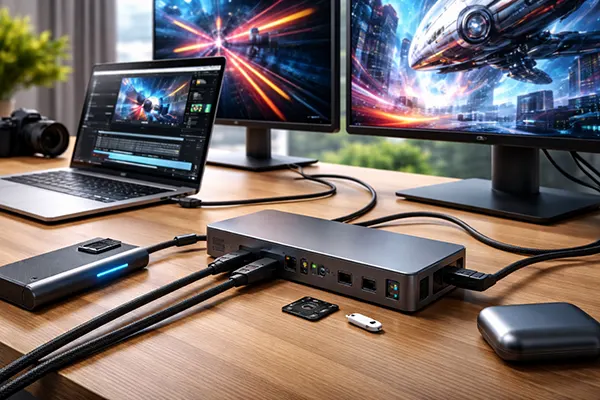
A Thunderbolt 5 dock is not automatically “better” just because the port says TB5. In 2025, the best docks are the ones that balance port layout, thermal design, charging power, and display outputs for your workflow. You should check how many downstream Thunderbolt ports you get, whether the dock supports the monitor configuration you actually want, and if it has the basics that are still annoyingly optional: strong Ethernet, enough USB-A for legacy gear, and card readers that match your camera workflow.
Power delivery is a key purchasing factor. Many people buy a dock to replace the clutter of chargers and adapters, but the dock must supply enough wattage for the laptop under sustained load. In real usage, this is the difference between a neat one-cable desk and a setup where the battery slowly drains during heavy work. By 2025, premium TB5 docks often advertise high charging limits, but you still need to confirm what your specific laptop can accept and what the dock can maintain when all ports are busy.
Thermals and stability matter more than most buyers expect. A high-bandwidth dock pushing multiple displays, storage devices, and network traffic is essentially doing real work, and that produces heat. Some 2025 Thunderbolt 5 docks include active cooling, and while that may sound like overkill, it often correlates with better sustained performance and fewer disconnect issues. If your desk is a “set it and forget it” environment, the boring reliability features are usually the most valuable ones.
Choosing ports and displays: avoiding the common 2025 docking mistakes
The first mistake is buying a dock for a hypothetical future setup instead of the one you will actually use. If you know you need dual high-resolution monitors, confirm the exact outputs and supported modes rather than assuming “TB5 will handle it.” Some docks rely on specific DisplayPort versions or use combinations of HDMI and DisplayPort that may or may not match your monitors. Your best approach is to map your intended display layout first, then choose the dock that supports it natively.
The second mistake is ignoring cable quality. Thunderbolt 5 pushes more throughput, and cables are part of the system, not an afterthought. In 2025, you should treat the cable as a performance component: the wrong cable can force lower speeds or lead to intermittent behaviour, especially with longer runs. If a dock includes a certified cable, that’s usually a positive sign; if it doesn’t, plan the cable purchase as part of the build budget.
The third mistake is overestimating what one connection can do indefinitely when everything is maxed out at once. Even with TB5, a fully loaded dock can still be bottlenecked by the host’s internal design, the controller configuration, or the laptop’s own power limits. The good news is that TB5 raises the ceiling, but the practical advice remains: prioritise the workloads that matter most (displays and storage for creators, networking and peripherals for office users), and don’t judge a dock purely by the number of ports on the box.
Upgrade decisions in 2025–2026: who should move to Thunderbolt 5 now
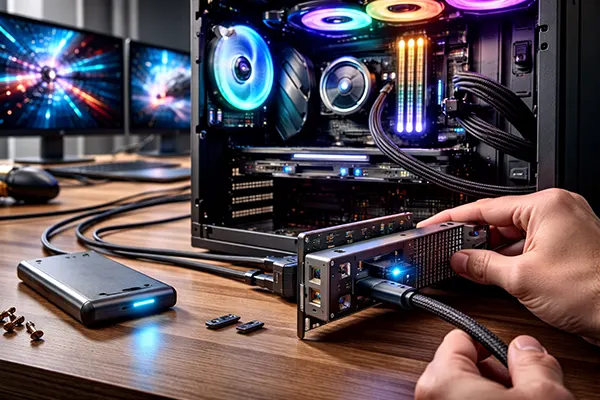
The best candidates are people who use their laptop as the core of a desk workstation. If your day involves external fast storage, one or two large monitors (or more), and frequent plugging/unplugging, Thunderbolt 5 is a meaningful quality-of-life upgrade. It is also a better fit for new builds: if you are buying a premium laptop in 2025 and plan to keep it for several years, TB5 can reduce the chance that your I/O feels outdated halfway through its life.
Creators benefit because the workload pattern aligns perfectly with what TB5 improves. Large footage files, multiple displays, external scratch disks, and high-speed card readers can all pile up on the same connection. TB5 doesn’t guarantee every device is faster, but it reduces contention and increases the chance that your workflow stays smooth even when everything is connected. For people working with high-bitrate video or large photo catalogues, that matters more than raw benchmark bragging rights.
On the other hand, many users can still live happily on Thunderbolt 4 in 2025. If your needs are mostly a single display, normal external storage, and everyday peripherals, TB4 remains a stable and widely supported standard with a huge accessory ecosystem. The decision should be based on workload, not on chasing the newest port label. Thunderbolt 5 makes the biggest difference in high-end, multi-device setups where older standards forced you into compromises.
Compatibility, cables and practical build planning for 2025–2026
One of the strengths of Thunderbolt as a family is that it is designed to be compatible with a wide range of USB-C devices and existing Thunderbolt accessories. In 2025, that means you can often keep older docks or drives and still plug them into a TB5 system, even if you don’t get the new maximum speeds. This makes upgrading less painful than it might look on paper: you can move to TB5 hardware and replace accessories over time as needed.
When planning a build or desk setup, start from the host device. Thunderbolt 5 capability depends on the laptop or motherboard implementation and the controller used. Some machines may have one TB5 port and other ports that are “just” USB-C, while others provide multiple full-speed ports. Read the actual specs and port diagrams rather than relying on marketing summaries. This is especially important if you plan to connect multiple displays and fast storage simultaneously.
Finally, budget for the ecosystem. A Thunderbolt 5 setup is not only the laptop; it is the dock, the cable, the monitor outputs, and the storage enclosures. If you choose components that match each other, TB5 can turn a portable PC into a reliable workstation without the mess of adapters. If you mix random parts, you can still end up troubleshooting like it is 2018. The standard is stronger in 2025, but good planning is still what makes it feel effortless.