PCIe 5.0 SSDs in Laptops in 2026: Does the Extra Speed Justify the Extra Heat?
PCIe 5.0 SSDs have moved from expensive enthusiast hardware into a much broader range of high-performance laptops by 2026. The fastest models can approach 15 GB/s in sequential reads, roughly twice the headline speed of leading PCIe 4.0 drives, so the performance figures are difficult to ignore. Yet a laptop presents a very different environment from a roomy desktop PC. Storage sits close to processors, graphics hardware and the battery, cooling space is limited, and every extra watt eventually becomes heat that must leave a thin chassis. The important question is therefore not simply whether Gen5 storage is faster. It is whether a particular laptop can use that speed consistently and whether the tasks performed on it actually benefit. Modern controllers have made PCIe 5.0 considerably more practical for portable computers, but Gen4 remains highly competitive for everyday work, gaming and many mainstream workloads.
How Much Faster Are PCIe 5.0 SSDs in 2026 Laptops?
The basic advantage of PCIe 5.0 is straightforward: it provides twice the transfer rate per lane of PCIe 4.0. PCI-SIG specifies a signalling rate of 32 GT/s per lane for PCIe 5.0 compared with 16 GT/s for PCIe 4.0. Consumer NVMe drives normally use four lanes, giving modern Gen5 SSDs enough bandwidth to move far beyond the roughly 7 GB/s ceiling associated with the fastest Gen4 models. This does not mean every Gen5 SSD reaches the same speed. Controller design, NAND flash, drive capacity, firmware and cooling all affect the result, while compact notebook-oriented drives may deliberately trade some peak performance for lower power consumption.
At the high end, the difference is substantial in benchmark figures. Samsung rates its 9100 PRO at up to 14,800 MB/s for sequential reads and 13,400 MB/s for sequential writes, compared with up to 7,450 MB/s for the previous 990 PRO. Micron’s 4600, a PCIe Gen5 client SSD intended for performance PCs and notebooks, reaches up to 14,500 MB/s in sequential reads and 12,000 MB/s in writes depending on capacity. These are not minor generational improvements. When a workload can continuously feed the SSD with large files, a modern Gen5 drive can process far more data in the same period than a conventional Gen4 model.
Peak benchmark speed, however, describes only one type of storage activity. A laptop spends much of its time opening relatively small files, starting applications, reading browser data, loading operating-system components and handling many short requests rather than copying one enormous continuous file. Under these conditions, latency, random access performance and software behaviour can matter more than maximum sequential bandwidth. A good Gen4 SSD is already quick enough to make ordinary Windows use feel immediate, so replacing it with a 14 GB/s Gen5 model will not make routine actions twice as fast. The extra bandwidth is real, but the visible improvement depends strongly on what the laptop is being asked to do.
Where the Extra Bandwidth Makes a Noticeable Difference
Large-file workflows are the clearest case for PCIe 5.0. Video editors working with high-bitrate footage, photographers moving very large RAW libraries, developers handling large project archives and professionals copying substantial datasets can reduce transfer or import times when the rest of the system is fast enough. The same applies to some scientific, engineering and 3D workloads that regularly read or write large amounts of local data. For these users, saving even a modest amount of time on each operation can accumulate into a meaningful advantage over a working day. The benefit is particularly relevant when the source and destination are both fast enough to avoid creating another bottleneck.
Local AI workloads are another area where fast storage is becoming more relevant. Models that occupy many gigabytes must be read from the SSD before they can be placed into system or graphics memory. Micron reports that its 4600 Gen5 SSD can load certain large language models considerably faster than its previous Gen4 client drive in the company’s own testing. That result should not be treated as a universal percentage for every laptop or AI application, but it illustrates why storage bandwidth has become more important on machines used for local inference, development and data processing. If a workload repeatedly loads very large models or datasets, the extra Gen5 bandwidth has a practical job to perform rather than merely improving a benchmark score.
Gaming presents a different picture. Modern games certainly benefit from NVMe storage, and technologies such as Microsoft DirectStorage are designed to reduce storage bottlenecks, but current game loading is rarely limited only by the SSD’s maximum sequential speed. Testing published in 2025 across a wide selection of games found relatively small differences between PCIe generations once a reasonably fast NVMe drive was used. Some DirectStorage titles showed advantages for faster SSDs, but the improvement from Gen4 to Gen5 was generally far smaller than the difference suggested by synthetic benchmarks. For a gaming laptop, therefore, spending more on the GPU, cooling system or additional SSD capacity will often affect the overall experience more than replacing a strong Gen4 drive with the fastest available Gen5 model.
Why PCIe 5.0 SSDs Run Hotter in a Laptop
Higher storage performance requires the SSD controller and NAND to process substantially more data in a short period, which increases electrical activity and heat generation. This was particularly noticeable with the first generation of consumer PCIe 5.0 drives. Some early flagship models used controllers capable of drawing well above 10 W under demanding workloads, making sizeable heatsinks common on desktop versions. Such power levels are manageable in a tower with good airflow, but they are awkward inside a notebook where the SSD may sit beneath a thin metal shield, thermal pad or motherboard cover with only a small amount of space around it.
The situation is much better in 2026 because Gen5 controller design has become more efficient. Phison’s E31T is a useful example of this change. It is a Gen5 controller designed with notebooks and other compact systems in mind, with operational power below 6 W and sequential speeds of roughly 10 GB/s rather than chasing the absolute maximum available from the interface. Drives based on this type of controller demonstrate that PCIe 5.0 no longer automatically means extreme heat. A well-designed mid-range Gen5 SSD can offer substantially more bandwidth than Gen4 while operating within a power envelope that is much easier for a laptop manufacturer to manage.
Flagship Gen5 drives have also improved. Samsung uses a 5 nm controller in the 9100 PRO and states that its power efficiency is significantly higher than that of the 990 PRO despite its much greater throughput. Independent testing has similarly shown that newer high-end designs such as the 9100 PRO and later Gen5 competitors are more efficient than many early drives based on first-generation controllers. Efficiency, however, does not remove the laws of physics. A drive transferring data at more than 10 GB/s still produces heat, and the same SSD that stays comfortably cool on an open desktop test bench can behave differently underneath a laptop keyboard after the CPU and GPU have already warmed the chassis.
Thermal Throttling, Cooling and Battery Life
Modern NVMe SSDs protect themselves from excessive temperature by reducing performance when a defined thermal threshold is reached. This behaviour is known as thermal throttling. It is a normal protective mechanism rather than evidence that the drive has failed. The practical problem is that a user who paid for Gen5 performance may no longer receive that performance during a long copy, video export or other sustained workload if the laptop cannot remove heat quickly enough. The exact temperature at which throttling begins varies between SSD designs, so a single temperature figure should not be treated as a universal limit for all Gen5 drives.
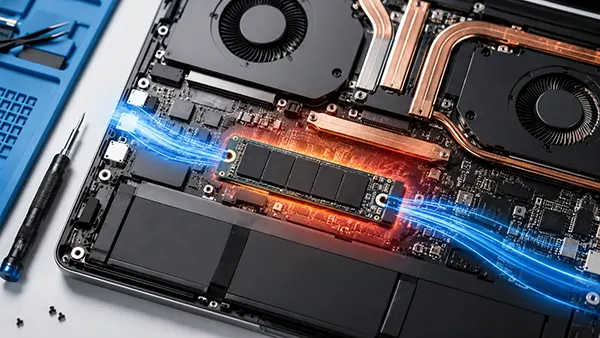
Laptop construction therefore matters almost as much as the SSD specification. A performance notebook may provide a dedicated M.2 heat spreader connected through a thermal pad, while an ultrathin model may have little more than the drive’s own label to distribute heat. The location of the M.2 slot is also important. An SSD positioned close to a high-power processor or graphics chip can start a storage-intensive task in an already warm environment. This helps explain why the same model can produce different sustained results in different laptops. When evaluating a notebook with Gen5 storage, sustained SSD performance and internal cooling design are more informative than the maximum number printed on a specification sheet.
Battery life introduces another trade-off, although it is more complicated than simply assuming that a faster SSD always drains the battery more quickly. An efficient high-performance drive may consume more power for a short burst but finish the operation sooner and return to a very low-power state. Good modern SSDs can use only a few milliwatts when properly idle. Nevertheless, workloads that keep a Gen5 drive active for long periods can contribute more to total system consumption than a lower-power SSD. For a workstation laptop normally used while connected to mains power this may be unimportant, whereas an ultraportable intended to operate for a full day away from a charger benefits more from an efficient controller than from the highest possible storage benchmark score.
Is a PCIe 5.0 SSD Worth Choosing for a Laptop in 2026?
For most buyers, the answer depends on workload rather than on the PCIe generation printed in the specifications. A Gen5 SSD makes sense in a high-performance laptop used for professional video, large media projects, engineering data, software development, local AI workloads or frequent transfers involving hundreds of gigabytes. In these cases, storage can genuinely become a limiting part of the workflow, and the additional bandwidth can reduce waiting time. A laptop with adequate M.2 cooling and a modern, efficient Gen5 drive can provide this performance without the severe thermal compromises associated with some of the earliest PCIe 5.0 SSDs.
For general productivity and gaming, the argument is weaker. A quality PCIe 4.0 drive capable of roughly 6–7 GB/s already provides very fast boot times, application launches and game loading. Gen5 can be measurably faster in storage tests while feeling almost identical during ordinary use. Capacity may also be more valuable than headline speed. A 2 TB or 4 TB Gen4 SSD can be a better practical choice than a smaller Gen5 model if the user needs room for large games, media libraries or work files. The choice should therefore be based on the entire laptop configuration rather than treating the fastest SSD as automatically superior.
Price also needs to be considered alongside heat and performance. Gen5 storage has become more accessible, but high-end drives still tend to command a premium, particularly at larger capacities. That premium is easier to justify when the SSD is used as a working component that regularly processes large files. It is harder to justify when the main goal is faster browser use, office work or a few seconds of potential improvement in game loading. In a fixed laptop budget, money directed towards additional memory, a stronger GPU, a better display or more storage capacity may produce a larger overall improvement than moving from an already fast Gen4 SSD to a flagship Gen5 drive.
Who Should Choose Gen5 and Who Is Better Served by Gen4
A creator or professional buying a powerful mobile workstation in 2026 has a strong reason to consider PCIe 5.0, especially if the machine regularly deals with large source files or local datasets. The best choice is not necessarily the SSD with the absolute highest benchmark number. A slightly slower Gen5 model with lower power consumption can be better suited to notebook use because it is less likely to saturate the available cooling during long workloads. The emergence of efficient controllers such as Phison’s E31T, together with newer high-end designs from Samsung, Micron and other manufacturers, means buyers now have more options between low-power Gen4 storage and the hottest early Gen5 enthusiast drives.
A gaming or mainstream laptop user can comfortably remain with PCIe 4.0 if the installed drive is already a competent NVMe model. Current games do not normally transform a 14 GB/s SSD into twice the loading performance of a 7 GB/s drive, and frame rates are not meaningfully increased simply by changing the storage generation. Gen5 becomes more attractive if it is included at little or no additional cost, if the laptop has good SSD cooling, or if the machine is also used for storage-heavy professional work. Otherwise, a cooler and less expensive Gen4 SSD remains a sensible choice in 2026 rather than outdated hardware.
Anyone considering an upgrade should first check the laptop’s M.2 specification, physical space and cooling arrangement. PCIe 5.0 is backwards compatible with previous PCIe generations, so a Gen5 drive can generally operate in a Gen4-capable slot, but it will be limited to the speed supported by that connection. Paying a premium for a flagship Gen5 SSD therefore has little purpose when the notebook only provides Gen4 connectivity. When genuine Gen5 support is available, the technology is no longer too hot for laptops by definition. The deciding factor is balance: efficient controller design, sufficient cooling and a workload capable of using the extra bandwidth. Under those conditions PCIe 5.0 can be worthwhile; without them, a good Gen4 SSD remains one of the most balanced storage choices available.